A QR code is a small square matrix barcode that a smartphone camera can read instantly. In the context of a xerox or print shop, a QR code is a direct link that takes a customer from scanning with their phone to placing a print order in under 60 seconds — no app download, no registration, and no waiting in line. Customers can scan your shop's custom code, find your shop on our Xerox Shop Finder, and submit their files in seconds.
This guide explains how QR code ordering works, how to set it up with Scan2Paper, and how to use it to get more orders — including from customers who were never going to walk into your shop.
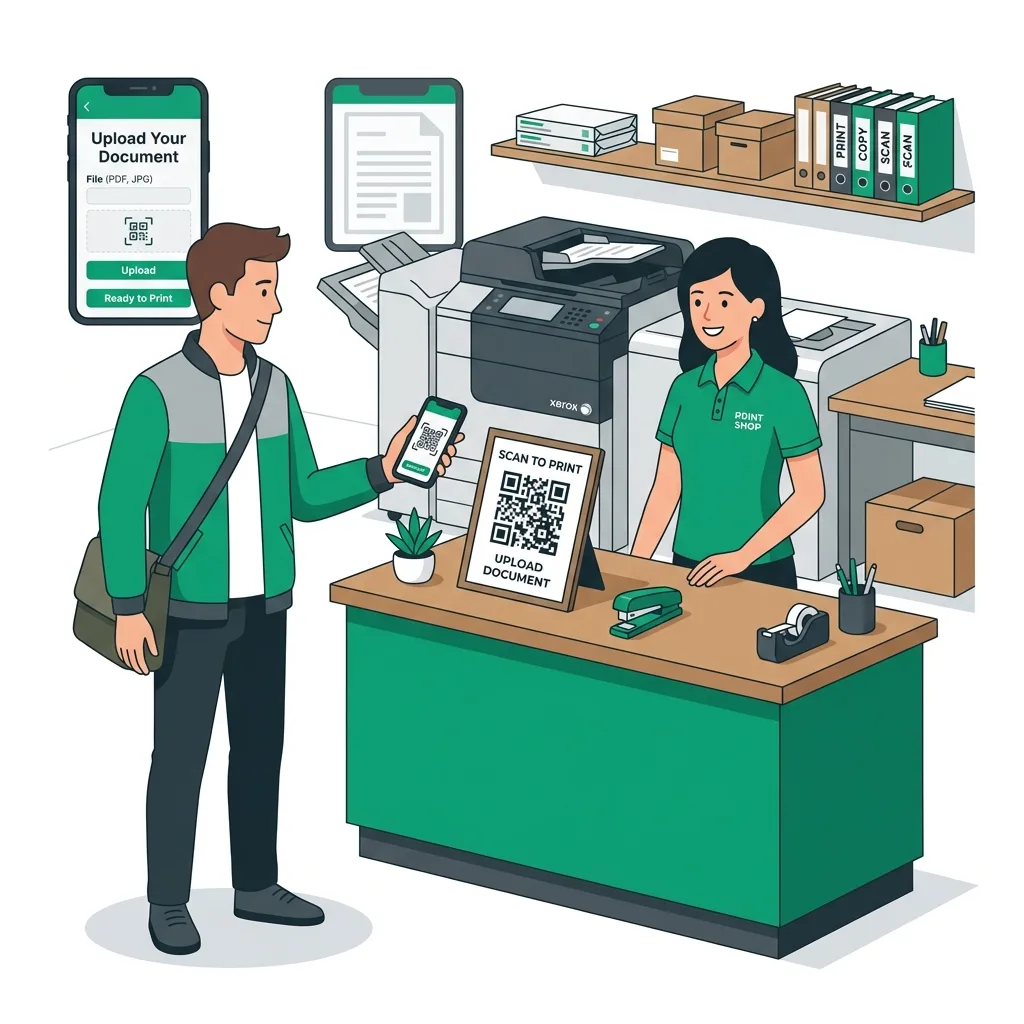
How QR Code Ordering Works
Every print shop registered on Scan2Paper gets a unique QR code. This QR code links directly to that shop's order page. The entire customer flow — from scan to payment — happens in a mobile browser without any app installation.
- Customer opens their phone camera and points it at your QR code
- A notification appears — they tap it to open your shop page
- They see your shop name, address, hours, and current pricing
- They select print settings (B&W/colour, copies, duplex)
- The system shows the total price based on your configured rates
- They submit the order and receive a digital order confirmation with a unique order number
- They show the order number at your counter to collect — the order is already prepared
The entire process — from QR scan to payment — typically takes 90 seconds on a smartphone with a good connection. For the shop owner, it eliminates the 3–5 minutes of counter interaction per walk-in order.
Setting Up Your QR Code with Scan2Paper
Setting up QR ordering takes about 10 minutes, start to finish. Here's the exact process:
1. Create Your Scan2Paper Account
Go to the Scan2Paper Home page and sign up with your email. You'll be asked for your shop name, address, city, phone number, and business hours. This information appears on your shop page so customers know where to come for pickup.
2. Configure Your Pricing
Set your per-page rates for black-and-white and colour printing. Scan2Paper uses these to automatically calculate order totals. You can also set minimum order amounts and configure whether you accept advance orders (recommended).
3. Connect Your UPI ID
You can optionally add your UPI ID to your shop profile if you collect payments via UPI at pickup. Scan2Paper does not process payments — all transactions happen directly between you and the customer.
4. Download and Print Your QR Code
From your dashboard, download your shop's QR code as a high-resolution image. Print it at a large size — at least 10cm × 10cm — for reliable scanning. Smaller QR codes are harder to scan, especially in low light.
Where to Place Your QR Code for Maximum Scan Rate
The location of your QR code directly determines how many customers discover and use it. Here's where it works best:
Counter Display (Essential)
Place your QR code in a vertical stand on your counter at eye level. Add a simple one-line instruction: 'Scan to order and pay online.' This is the highest-conversion placement because every walk-in customer sees it.
Shop Entrance (Highly Effective)
A QR code poster on the glass door or wall near the entrance lets customers scan before they even come in. This is especially useful during peak hours when the shop is full — customers can queue their order from outside.
WhatsApp Status and Groups
Download your QR code image and set it as your WhatsApp status or share it in relevant groups (college groups, colony groups, office groups). Include text like: 'Order prints from home, pay via UPI, collect in 10 minutes.' This reaches customers who may not be near your shop right now.
College Notice Boards
If your shop is near a college, a printed QR code flyer on the department notice boards is highly effective. Students are comfortable with QR code interactions and will scan immediately if there's a clear benefit (skip the queue, order from the hostel).
On Your Printed Receipts
Include a small QR code on every manual receipt you hand out. Customers who are happy with your service will scan it to reorder — turning first-time customers into repeat digital orderers.
Measuring the Impact of QR Ordering
After placing your QR codes, track these metrics weekly in your Scan2Paper dashboard:
- Number of online orders per day — target: 10+ within the first week
- Online orders as % of total — target: 25% within the first month, 50% within three months
- Time-of-day distribution — are you receiving orders outside business hours?
- Average order value — online orders tend to be larger because customers have time to plan
Benchmark: Shops that actively promote their QR code through WhatsApp and counter placement typically see 15–25 online orders per day within 30 days, representing ₹900–₹2,500 in additional daily revenue.
Answering Common Customer Questions
When you first introduce QR ordering, customers will have questions. Here's how to address the most common ones:
'My phone camera won't scan the QR code'
Most smartphones from the past 5 years can scan QR codes directly from the default camera app (no separate app needed). If a customer is having trouble, tell them to open Google Lens or WhatsApp's built-in QR scanner. As a fallback, they can go to scan2paper.com/find-shop and enter your 6-character shop code manually.
'Is my document safe after I upload it?'
Documents uploaded through Scan2Paper are used only to generate the print job and are not shared with third parties. This is a common concern from government employees, lawyers, and healthcare workers. Reassure customers that their files are treated with the same privacy as any file they'd hand over on a pen drive. To understand more about why online uploading is safer and more convenient, check out our guide on the benefits of online document upload for print shop customers.
'What if I need to cancel the order?'
Orders can be cancelled before printing begins. Refunds are handled directly between the customer and the shop owner — the same way you'd handle a refund for any other service. Most cancellations happen when customers submit the wrong file, which is rare.
Start Today
QR code ordering is one of the highest-return investments a print shop can make. The setup cost is ₹0 (Scan2Paper is free to start — see our pricing plans), the deployment cost is the price of printing one A4 poster, and the first orders typically arrive within 24 hours. Learn more about how to get started on our features page.
Advanced QR Code Strategies to Grow Your Print Business
Once your QR code is live and your first batch of online orders is flowing in, the next step is scaling adoption strategically. Most shop owners who go beyond basic counter placement see a 3× to 5× increase in online order volume within 60 days.
Build a QR Code Referral Loop
Every satisfied customer who orders online can become an ambassador. When you hand over a printout, include a small card — or print a note directly on the receipt — that says: 'Loved skipping the queue? Share this QR code with a friend.' Provide the QR image and a one-line benefit statement. In tight-knit communities like college hostels, coaching centre batches, and office floors, a single referral can unlock 10–20 new customers in a week.
Time-Limited Promotions via QR
QR codes are a powerful channel for time-limited offers. Post a message in your WhatsApp group: 'This week only — scan the QR, upload a 20-page document, get 2 pages free.' This creates urgency, drives first-time users to try the platform, and gives you a memorable moment with new customers. Most shops run one such promotion per month during slow periods.
Seasonal and Event-Based QR Campaigns
Peak printing seasons — exam time, application season, tax season, festival season — are when QR promotion pays off the most. Design a QR code flyer specific to each occasion ('Exam prints sorted — scan and order from hostel') and distribute it through campus groups or colony WhatsApp chats two weeks before the season peak. The advance awareness converts walk-in customers into pre-orderers during your busiest week.
Troubleshooting Common QR Code Ordering Issues
Even a well-deployed QR system occasionally produces friction. Here are the most common issues shop owners encounter and how to resolve them:
- QR code not scanning: Print at minimum 10 cm × 10 cm. Laminate to prevent glare. Ensure adequate lighting at the placement location.
- Customer can't find their file: Most files are in WhatsApp downloads or in Google Drive. Walk the first few customers through it — once they know, they never struggle again.
- Order submitted with wrong settings: Allow cancellation and resubmission before printing begins. Communicate this policy clearly on the order page.
- Printer not connected during peak hours: QR orders queue in the dashboard — process them as soon as the printer is ready. Customers receive status notifications automatically.
- Customer doesn't have internet: Offer your 6-character shop code as a fallback. They can visit scan2paper.com/find-shop and enter it manually without needing to scan.
How QR Code Ordering Compares to WhatsApp Ordering
Many print shop owners currently use WhatsApp to receive orders — customers send a PDF and a message describing what they want. This works, but it has significant limitations compared to a structured QR ordering system.
- WhatsApp compresses PDF files by default, which can affect print quality. Scan2Paper accepts and stores original, uncompressed files.
- WhatsApp has no order management — you manually track what's been printed, what's pending, and who's been notified. Scan2Paper automates all of this.
- WhatsApp pricing is informal — customers estimate or argue about cost. Scan2Paper calculates the exact total before order submission.
- WhatsApp has no payment record. Scan2Paper creates a timestamped order log for every transaction.
- WhatsApp messages get buried in conversation history. Scan2Paper orders stay in a prioritised queue until completed.
The most successful print shops use both: QR code for new and returning customers who are comfortable with digital ordering, and WhatsApp as a backup communication channel for edge cases or large bulk orders that need negotiation.
The Long-Term ROI of QR Code Ordering
The immediate impact of QR code ordering — shorter queues, faster transactions, happier customers — is obvious. But the long-term compounding effects are what make it a true business transformation. Each customer who converts to online ordering generates a digital order history. That history enables reorders without re-uploading. Reorders are the fastest transaction type — under 30 seconds from order placement to confirmation.
Over a 12-month period, a shop with 40% of orders coming online typically sees: 35% reduction in average transaction time, 22% increase in average order value (online customers plan better), and a measurable improvement in customer satisfaction driven by transparency and convenience. These are compounding advantages — they grow every month as more customers shift to digital.
Frequently Asked Questions About QR Code Ordering for Print Shops
Frequently Asked Questions
Do customers need to download an app to use QR ordering?
No. Scan2Paper's ordering flow works entirely in a mobile browser. Customers scan the QR code with their phone camera and the shop's order page opens instantly — no app download, no account creation required for basic ordering.
What file types does Scan2Paper accept for printing?
Scan2Paper accepts PDF files only. This ensures consistent formatting and eliminates compatibility issues that arise with .docx, .pptx, or image files. Customers who have non-PDF files can use any free online converter before uploading.
How do I handle customers who don't know how to scan a QR code?
Offer your 6-character shop code as a fallback. Customers can go to <a href='/find-shop' class='text-emerald-700 hover:underline font-semibold'>scan2paper.com/find-shop</a> and type in the code manually. For older customers, take 2 minutes to walk them through the camera-scan process once — most never need help again after the first time.
Is Scan2Paper free for print shop owners?
Yes, Scan2Paper is free to start. There are no monthly fees or setup costs. You can create your shop profile, get your QR code, and start receiving digital orders on the same day at no cost.
Can I use QR ordering alongside my existing walk-in counter?
Absolutely. QR ordering is designed to complement your walk-in business, not replace it. Walk-in customers can scan on the spot and have their job queued immediately. Remote customers can order from home and arrive to collect a ready printout.
How quickly will I start getting online orders after setting up?
Most shops receive their first online order within 24 hours of placing the QR code at the counter. Shops that also promote via WhatsApp Status typically see 10+ orders in the first week. Consistent promotion via local groups accelerates adoption significantly.